To rank your Google Business Profile in local results, make it complete and accurate, follow Google's naming and address rules, pick the most specific primary category, add real photos and services, and earn a steady flow of genuine reviews that you reply to. Google says local ranking depends on relevance, distance and prominence.
This checklist is for local businesses in India, the UK and the US: clinics, salons, gyms, trades, shops, restaurants and service firms. Every rule below links to Google's own help pages, because many checklists online repeat advice that can get a profile suspended. Work through it once in an afternoon, then keep the monthly routine at the end.
How well your profile matches what someone searched for
Complete every section, pick precise categories, list your services
Distance
How far your business is from the searcher or the place they searched
Nothing to game; make sure your address or service area is correct
Prominence
How well known your business is, online and offline
Earn reviews, links and mentions from local sites
Google also says businesses with complete and accurate information are more likely to show up, and that more reviews and positive ratings can help local ranking. That is the whole game: be complete, be accurate, be talked about. If you run a dental practice, our guide to local SEO for dentists applies these rules to clinics.
Google Business Profile checklist: the one-time setup
Do these ten things once, in this order, and most profiles will already beat their local competitors.
Claim and verify the profile with the business's own Google account, not a freelancer's. Add your team as managers instead of sharing the password.
Use your real business name, exactly as on your signboard. No city names, keywords or slogans.
Choose the primary category that completes "This business IS a…", then add only a few secondary ones.
Set your address or service area correctly (see the next section).
Add a phone number that reaches this location, not a call centre or a tracking number that forwards elsewhere.
Add your website, ideally the page for that location or main service, not just the homepage.
Set opening hours, including special hours for holidays, if customers visit you.
Write the description: what you do, for whom, where, and what makes you different, in plain words. No links or offers.
Add services or products with short descriptions, using the words customers search for.
Upload real photos: outside (so people can find you), inside, your team at work and your work itself. No stock photos.
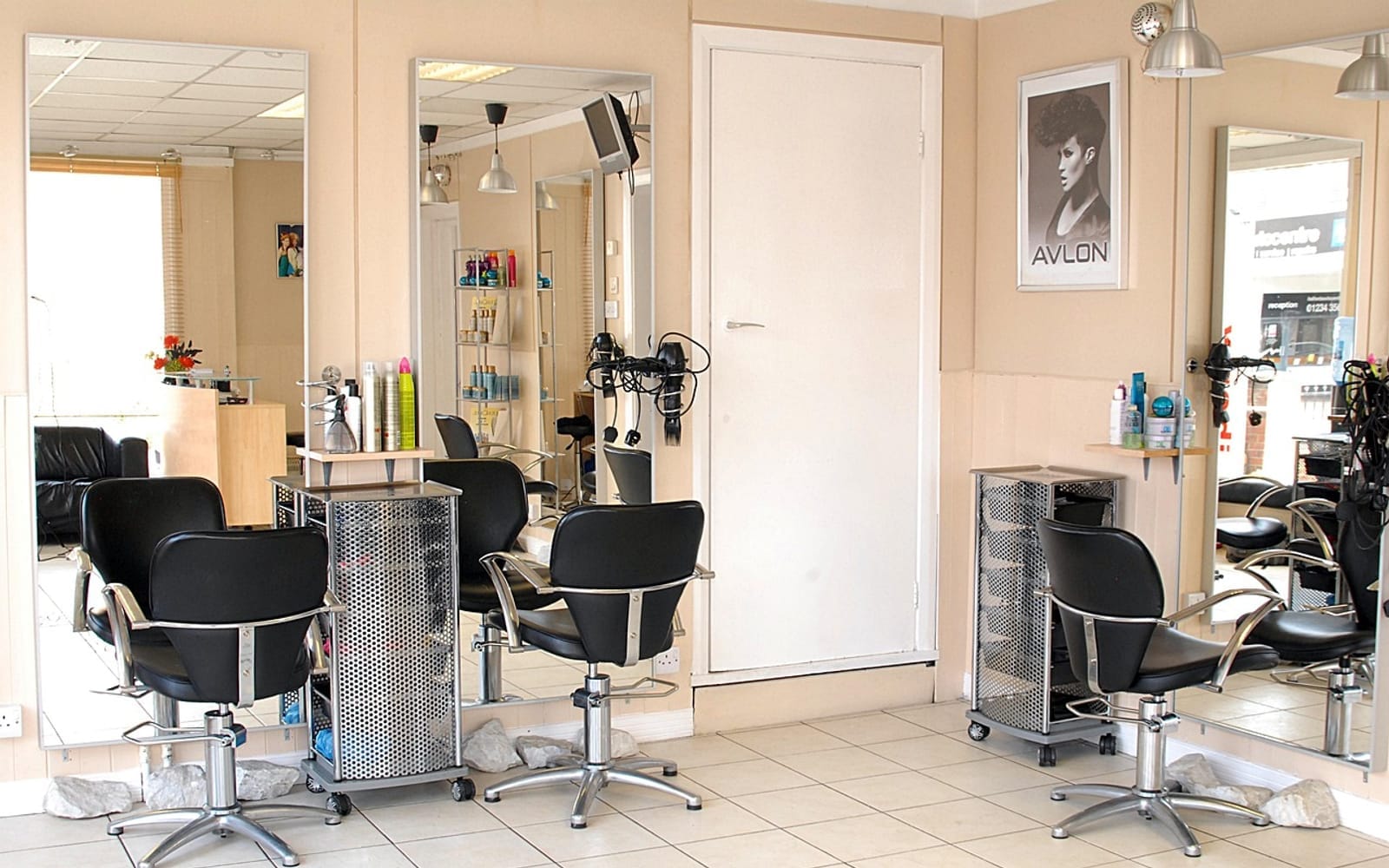
Real photos of the inside of your business help people choose you.
Which Google rules get profiles suspended?
Keyword-stuffed names, fake addresses and incentivised reviews are the usual reasons profiles get suspended. Google's guidelines for representing your business are specific:
Business name: Google says including unnecessary information in your business name isn't permitted, such as marketing taglines, service descriptions or location details. "Sharma Dental Clinic" is fine; "Sharma Dental Clinic Best Dentist in Noida" is not.
Service-area businesses: if you go to customers (a plumber, a home tutor, a cleaning service), Google says you should hide your business address and set a service area instead. Don't list a home address as a shopfront.
Categories: Google asks you to use as few categories as possible to describe your core business.
Phone numbers: use a number you control that connects to that location; premium-rate numbers aren't allowed.
Only real, staffed locations. Google says a virtual office isn't eligible for a profile, an office in a co-working space needs clear signage and must receive customers during business hours, and P.O. boxes aren't acceptable.
Google updates these rules. This summary was checked against Google's help pages in November 2026.
How do you get more Google reviews the right way?
Ask every happy customer at the moment they are happiest, with a direct review link or QR code, and never offer anything in return. Google's page Tips to get more reviews suggests asking customers to use a Google link or scan a QR code, and says offering incentives such as free or discounted goods for reviews is strictly prohibited.
In your profile, open the option to ask for reviews (shown as "Ask for reviews" or "Get more reviews") and copy the short link.
Print the QR code at the counter or reception.
Send the link on WhatsApp, SMS or email the same day the job is finished.
Ask everyone, not only customers you expect to be happy. Filtering who gets asked ("review gating") gives a false picture.
Reply to every review within a few days: thank people by name, and for complaints apologise, give a way to talk offline and fix the issue.
A simple message works: "Thank you for visiting us today. If you were happy with the service, could you leave a short Google review? It helps other people nearby find us: [link]".
What should you post and upload every month?
Add a few new real photos and one update a month, and keep your services, hours and offers current. Fresh, accurate information is what Google asks for, and it gives searchers a reason to choose you.
Monthly task
Example
Time
New photos
A finished job, a new treatment room, the team
10 minutes
One update post
A seasonal service, a new product, holiday hours
10 minutes
Reply to reviews
Every new review, good or bad
10 minutes
Check for edits
Google or the public can suggest changes to your details
5 minutes
Check insights
Calls, website clicks and direction requests
5 minutes
How do your website and listings support the profile?
Your website and other listings should show exactly the same name, address and phone number as your Google profile, and your site should have a page for each main service and location. Google says prominence also reflects what it knows about a business from across the web, such as links to your site and your reviews.
Put your name, address (or service area) and phone in the footer of every page, written the same way as on Google.
Create one page per main service, for example "Root canal treatment" or "Boiler repair", with real photos and FAQs.
List your business on the main directories in your country (for example Justdial in India, Yell in the UK, Yelp in the US) with the same details.
Make the site fast and easy to use on a phone. Our free website audit tool checks the basics in a minute.
Real estate agents and channel partners have a few extra rules to watch; see our local SEO guide for real estate. For how AI assistants pick local businesses to recommend, see our GEO guide.
Common Google Business Profile mistakes
Adding the city or "best" to the business name.
Choosing a broad primary category ("Doctor") when a precise one exists ("Dentist").
A phone number nobody answers, or one that changes every few months.
Stock photos, or no photos of the outside of the building.
Buying reviews, or offering a discount for a five-star review.
Never replying to reviews, especially the negative ones.
Letting an agency own the profile. Always keep the business as the primary owner.
We help local businesses with their website, local SEO and Google Business Profile. See how we work with local businesses, or ask for a free audit of your profile and website.
On-page and technical SEO, helpful content, Google Business Profile and local search, plus making your pages easy for AI tools like ChatGPT and Google’s AI Overviews to read and quote.
The Veloxis Global team writes and updates every guide on this blog. We are a Noida-based e-commerce and D2C growth agency working on Meta and Google ads, Shopify stores, landing pages, SEO and WhatsApp automation. We also work with local businesses, clinics and real estate.
Make your Google Business Profile complete and accurate, choose the most specific primary category, set the correct address or service area, add real photos and services, and earn genuine reviews you reply to. Google ranks local results on relevance, distance and prominence.
Can I add keywords to my Google Business Profile name?
No. Google's guidelines say unnecessary information in the business name, such as taglines, service descriptions or locations, isn't permitted and can lead to suspension. Use the exact name on your signboard.
Should a service-area business show its address?
No. If you serve customers at their location, such as a plumber or home tutor, Google says you should hide your address and set a service area instead.
How many categories should I choose?
As few as possible. Pick the most specific primary category that completes the sentence 'This business IS a…', then add only the secondary categories that describe other core parts of the business.
Can I offer a discount for Google reviews?
No. Google says offering incentives such as free or discounted goods or services in exchange for reviews is strictly prohibited. Ask every customer with a review link or QR code, and offer nothing in return.
Should I reply to negative reviews?
Yes. Reply promptly and politely, apologise where appropriate, keep the customer's private details out of the reply and offer a way to talk offline. Calm replies show other customers how you handle problems.
How often should I update my Google Business Profile?
Check it at least monthly: add a few new real photos, post one update, reply to every review, correct any suggested edits and review your calls and direction requests. Update hours before every holiday.
Does my website affect my Google Business Profile ranking?
It helps. Google looks at information across the web, so your site should show the same name, address and phone as your profile and have a page for each main service and location.
Get a free marketing audit
Send us your website, store or current campaigns. We’ll review your pages, ads and lead follow-up and tell you what to fix first. No obligation.