
Marketing reports without copy-paste: one command for Google Ads, GA4, Search Console and Meta
By the Veloxis Global team · Updated
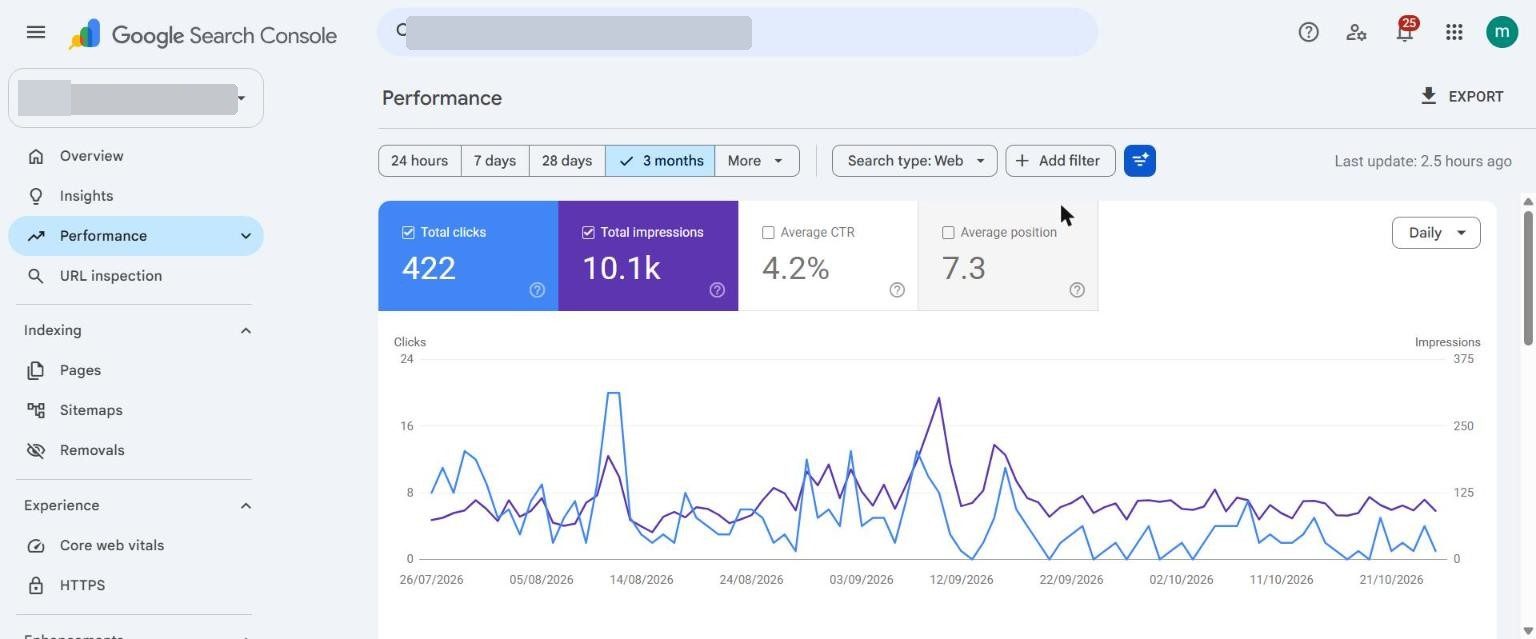
Reports used to mean opening five dashboards by hand. A set of Python scripts now reads each platform through its official API and writes one dated row per day into one tracker.
- Client
- A home-services marketplace app
- Industry
- Consumer app · Home services
- Location
- Noida, India
- Period
- Aug – Oct 2026
- What we did
- Reporting automation · GA4 and Tag Manager · API integrations
The problem
With one marketer and many channels, reporting was the first thing to slip. Numbers copied by hand also drift: a typo in a weekly report becomes a wrong decision.
What we did
- 1
Decide the headline number first
For an app it is installs and cost per install. Everything else is reported only if it explains installs.
- 2
Pull, never copy
Each script reads one platform through its official API. Where platforms disagree (Google Ads and GA4 count installs differently) the report shows both and says why.
- 3
Blank is not zero
A number that could not be collected stays blank and is marked, so formulas and decisions are not built on a false zero.
The result
Weekly and monthly reports are produced from the same daily rows, and every figure can be traced back to an API pull with a date.
What we learned
- Write down what each metric means before building the first script. It saves arguments later.
Tools used
- Python
- Google Ads API
- GA4 Data API
- Search Console API
- Meta Marketing API
- Google Sheets
Want the same for your business?
Every lead, from ads, your website or marketplaces, gets an instant WhatsApp reply, a few qualifying questions and a next step, then lands with the right person and in your CRM.
About our whatsapp & ai automation serviceMore case studies
- Google App campaigns: cost per install down 68%, from ₹32.97 to ₹10.50
- Meta Ads showed 0 app installs from 2.39 lakh impressions. The ads weren’t the problem.
- From a 44-URL sitemap to 189 indexed pages: the fix for “Service Not Found”
- Why an Ayurveda clinic’s Google Ads kept paying for other clinics’ names